Turn text into an editable PowerPoint deck
A text-to-PPT workflow converts each top-level line into a slide title and each indented line into a bullet. You can review the outline, choose a visual theme, edit every slide in the browser and download an editable .pptx file.
Create a presentationFree plan: up to three decks a month.
Example input
Quarterly product review
  Activation rose after onboarding changes
  Retention remained flat
What we learned
  Earlier value matters
  Follow-up still needs work
Expected output
Two slides: “Quarterly product review” and “What we learned,” each with the supplied bullets and the selected presentation theme.
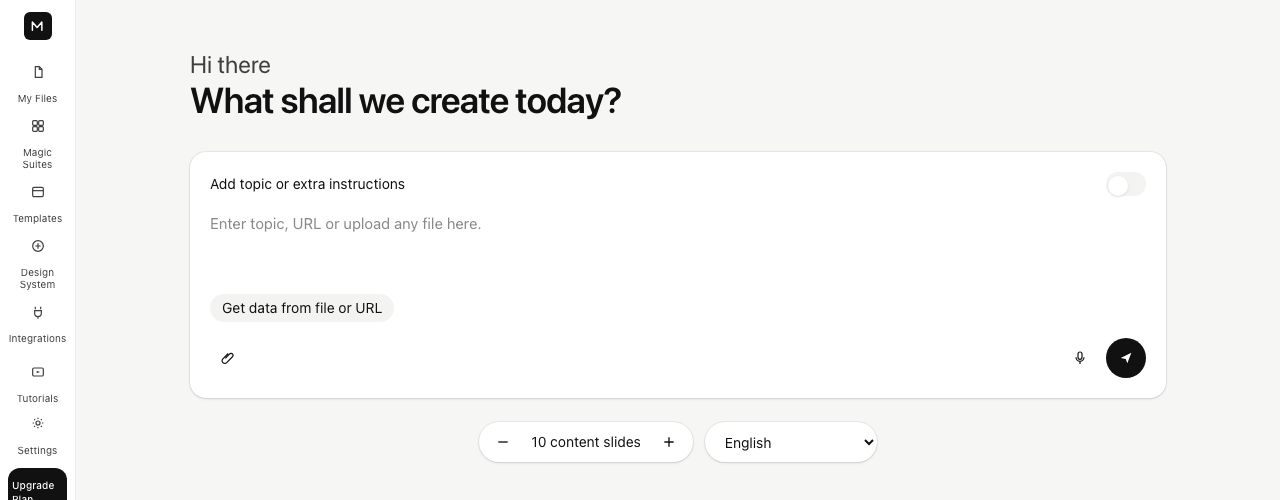
How the text is divided into slides
A line without indentation starts a new slide. Indented lines attach to the heading above them as bullets. The outline remains visible and editable before anything is saved, so an incorrect slide break can be fixed directly.
For a plain topic rather than a finished outline, the generator can draft 4–12 slides using a stated audience, goal and tone. Generated claims still require human review.
- Paste or generate an outline
- Review every heading and bullet
- Apply a reusable theme
- Export an editable PowerPoint file
What to review before presenting
Check names, dates, numbers and quotations against the original source. AI-generated content can sound complete even when a fact was not supplied. The editor is an approval step, not evidence that a claim is correct.
Start with a useful outline
Write one headline for each idea the audience needs to understand, then place supporting points below it. A short outline is easier to revise than a fully designed presentation. If one heading needs too many bullets, split that idea into two slides before generating the deck.
Include the audience and decision you want from the presentation in your source text. Those details help you judge whether the resulting order makes sense, even when you supply every heading yourself.
Review slide breaks and order
The outline preview lets you check which lines became titles and which became supporting bullets. Correct misplaced indentation and move the conclusion to the point where it will be most useful. This is also the moment to remove repeated ideas rather than carrying them into the editor.
Choose a theme and edit the draft
A theme supplies a consistent visual starting point; it does not verify the content. Open the generated deck in the browser to shorten dense text, add missing context and replace generic examples with your own evidence. Keep the slide count proportional to the time available to present.
Export and check the PowerPoint file
Download the deck as a .pptx file after editing. Open that file in the presentation software you plan to use and check fonts, line wrapping, charts and images. PowerPoint-compatible output remains editable, but a final visual check catches differences between viewers.
Using the deck with Google Slides
The Google workflow has its own connection and export steps. If you prefer the portable route, download the PowerPoint file and import it into Google Slides. Review the imported layout there before sharing. Availability of a direct Google connection can depend on account configuration.
Frequently asked questions
Does the output remain editable?
Yes. Slides can be edited in the browser and the exported .pptx remains editable in compatible presentation software.
How many slides can the generator draft?
The topic generator currently accepts a target of 4–12 slides.
Does it create a Google Slides file?
You can export a .pptx and import it into Google Slides. A separate Google connection workflow is also available when it is configured for your account.
Can I change the outline before creating slides?
Yes. Review and edit headings, bullets and slide order in the outline before generating the deck.
Does the tool check facts in my source?
No. Verify names, numbers, dates and quotations against your original source before presenting.
What should I check after exporting?
Open the .pptx in the presentation app you will use and check text wrapping, images and visual layout before sharing it.